Executive dashboard
Shows student activity, parent contacts, attendance, fee collection, homework submission, payroll readiness, and transport allocation.
These screenshots were rendered from local demo pages using clearly unrealistic sample names and contacts so they cannot be confused with real student data.
Back to homepage Request activation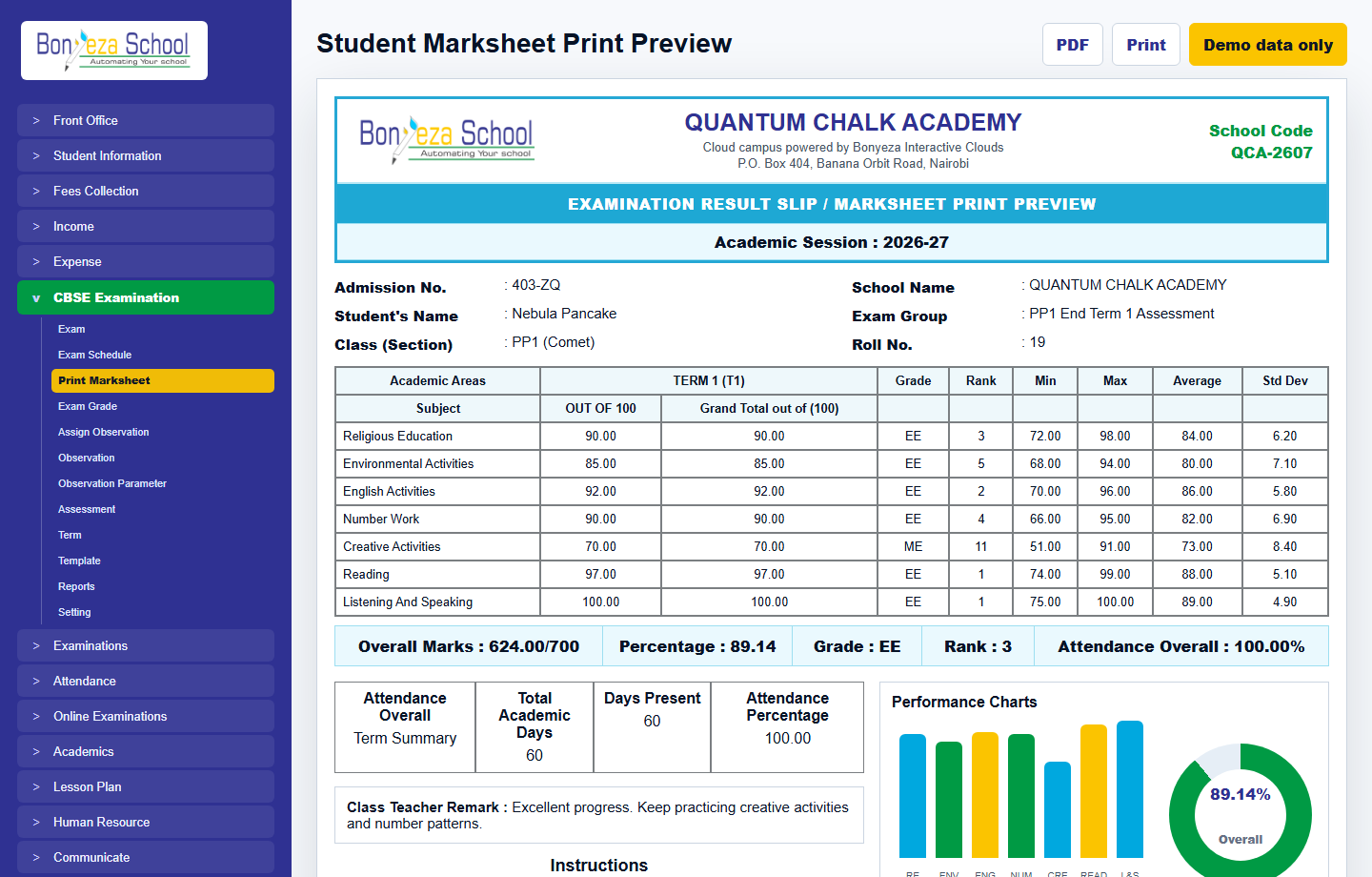
Each menu page now has its own view and a relevant product screenshot, so buyers can explore the system without landing on empty or unfinished navigation items.
Shows student activity, parent contacts, attendance, fee collection, homework submission, payroll readiness, and transport allocation.
Shows daily collections, outstanding balances, receipts, payment methods, and collection trends.
Shows front office, student dashboards, reports, marksheets, payroll, payslips, and communication screens.
These screenshots use unrealistic demo names and contacts, generated as local image assets for the marketing website.
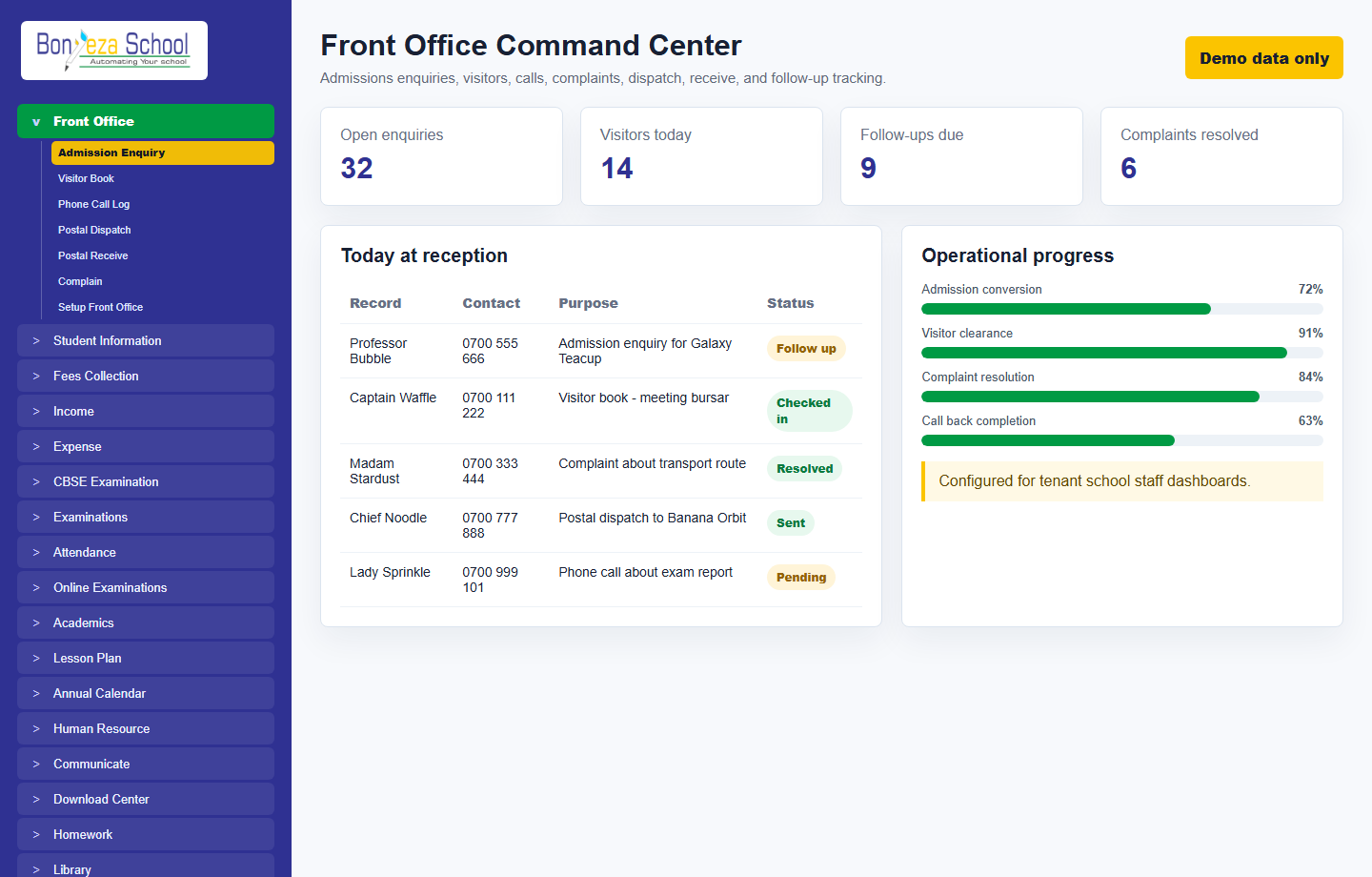 Front office
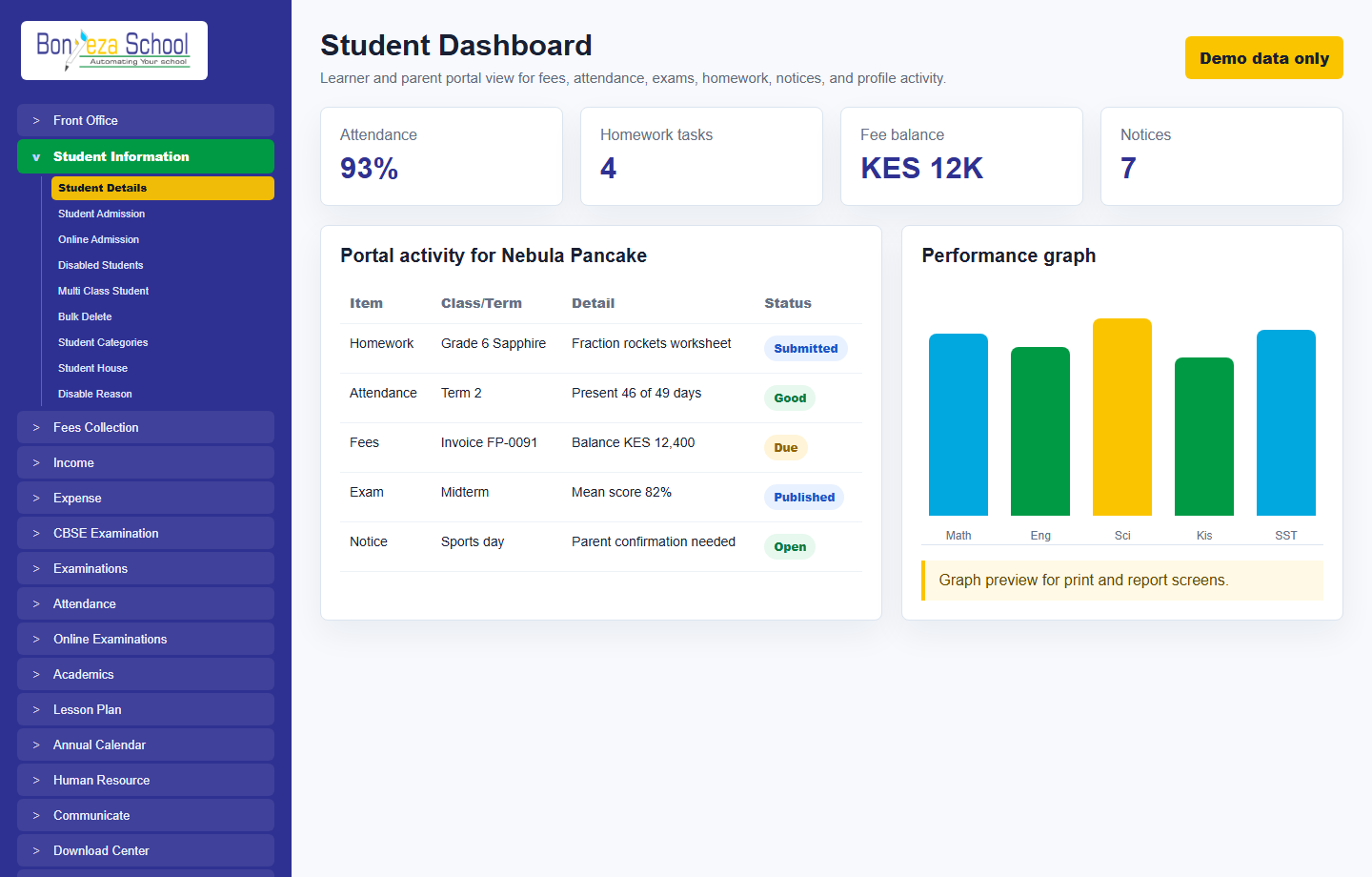 Student dashboard
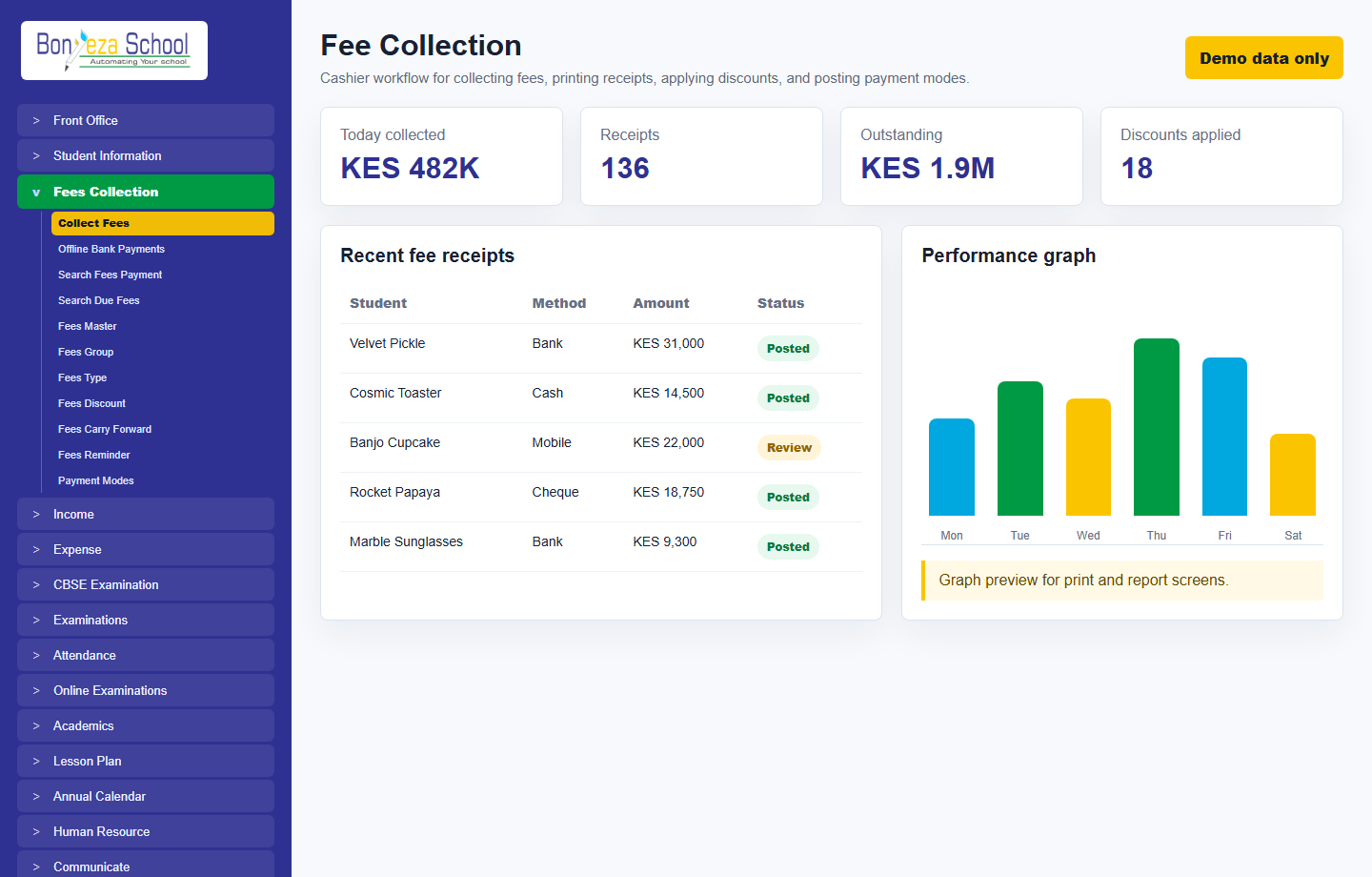 Fee collection
Submit a school activation request and approve it from the Super Admin Tenant Activation console.